TL;DR for the non-technical reader
I have a personal AI assistant that lives on an old laptop in my house. I talk to it from Telegram on my phone. It remembers my life across conversations, writes its own little instruction manuals when it learns something, and runs small jobs for me on a schedule. The clever model that does the actual thinking runs in the cloud, but everything that makes the assistant mine lives on my own machine, so I can swap that cloud brain whenever I like and nothing personal moves. I used to run a different one and never trusted it enough to give it my real information. I switched to one called Hermes and finally handed over the real stuff, not because it had some magic feature, but because I set it up so that I own and control the whole thing. And it all runs on a thirteen-year-old laptop with less memory than a modern phone.
The whole setup, in one breath
Here is the part that makes people laugh. My personal AI agent runs on an Acer laptop from my college days. The specs:
- OS: Ubuntu 24.04.4 LTS (Noble Numbat), Linux 6.8
- CPU: Intel Core i5-3337U, Ivy Bridge, roughly 2012 to 2013 vintage
- Cores: 2 cores, 4 threads
- RAM: 3.6 GiB total, and on a good day about 400 MiB free
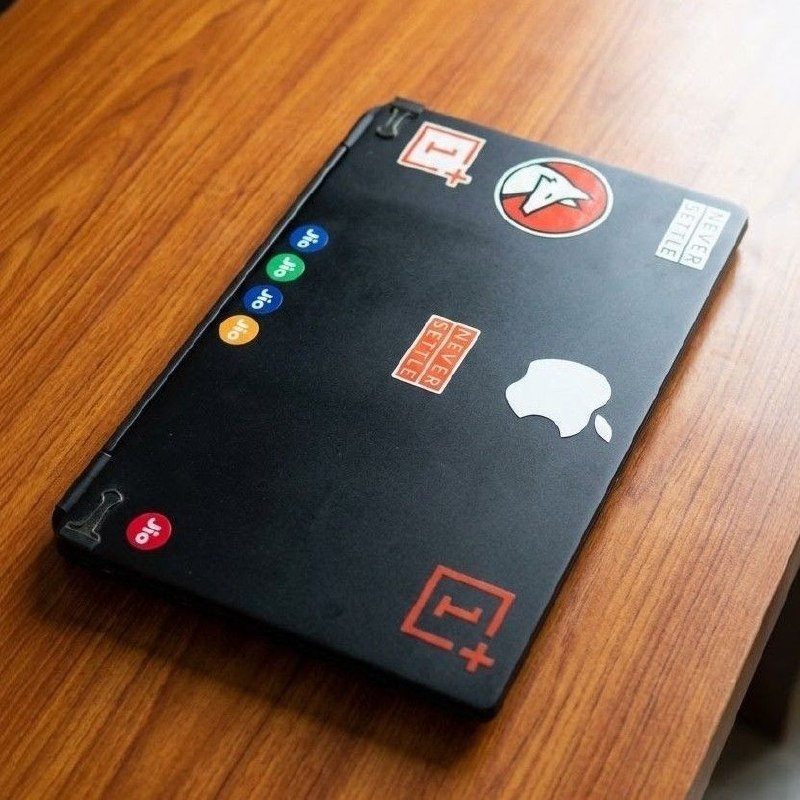
My 13-year-old Acer laptop (Ivy Bridge i5, 3.6 GB RAM) happily running the Hermes agent.
That is not a typo. Less than four gigabytes of RAM, a thirteen-year-old mobile chip, and it is happily acting as the always-on brainstem for my digital life. It still works. That is the whole flex.
The trick, which I will come back to, is that the laptop is not doing the thinking. It is doing the remembering. To be clear up front, this is not a local-model setup. The model that does the reasoning runs in the cloud. What lives on this laptop is the agent itself: its memory, its skills, its whole personality. This post is about owning that layer, not about running a model on hardware that obviously cannot.
Why I switched: the deciding factor was not features
I had been running OpenClaw for a long time, all the way back from when it was still called clawdbot. It worked. It did its job. But something always felt missing, and for a while I could not name it.
Eventually I figured out what it was. It was not a feature gap. It was trust.
OpenClaw could run skills, but I never felt I had enough visibility or control over what those skills actually did. So I did the thing a lot of cautious people do: I held back. I never gave it my real data. No family details, no parish directory, no contacts, nothing that mattered. Which meant I was running a genuinely powerful agent at maybe thirty percent of what it could be, because the most useful version of a personal assistant is the one that actually knows about your life, and I was deliberately keeping it ignorant.
It did not help that the whole OpenClaw ecosystem was going through a very public security rough patch right when I was making up my mind. Malicious skills were turning up in the skill directory, some of them quietly siphoning off data or smuggling in prompt injection. Moltbook, the social network for these agents, leaked a large cache of API tokens and email addresses from a misconfigured database. And there was a steady drip of critical vulnerabilities, including a one-click remote code execution that needed nothing more than the agent visiting a bad web page. Security researchers also made a point that stuck with me: persistent memory can make things worse, because a hidden instruction planted in a webpage or a post can sit dormant in the agent’s memory and fire off during some later, unrelated task. None of this is unique to OpenClaw as an idea. Anything with this much reach carries the same exposure. But watching it unfold in real time, while I was deciding whether to trust one of these things with my actual life, made the answer easy. Not yet, and not this one.
Hermes kept showing up in my feed for weeks. I never had a strong enough reason to try it. Then I watched this NetworkChuck video. I have been watching his stuff for years and I love the way he builds, and two things in that video hooked me hard: the memory and the self-improving skills.
That was the draw. But I want to be honest about what actually earned my trust, because it was not what I first assumed. Skills in this whole ecosystem are just plaintext SKILL.md files you can open, read, and edit. That is true of OpenClaw too. Readable skills were never the thing OpenClaw was missing.
What changed was the context and the control. The security headlines were piling up around the OpenClaw ecosystem specifically: the skill directory, the social layer, the gateway. That was the world I would have been pouring my real data into. With Hermes I started clean and did it on my own terms. My machine, skills I set up and can read myself, my backups, the whole stack under my control. Memory and self-improving skills made it worth the effort. Owning the setup top to bottom is what made me finally hand over the real stuff.
So the honest version of this migration story is not “Hermes beats OpenClaw.” It is “Hermes is the first one I trusted enough to actually use properly.” I still keep both installed. Hermes is my daily driver now.
The brain is rented, and I keep switching landlords
Remember that the laptop has 3.6 GiB of RAM. There is no universe where it runs a serious model locally. So the brain lives in the cloud, and the laptop holds the body and the memory.
The good news is that Hermes is model and provider agnostic, the same as OpenClaw was, which turned out to matter a lot, because my journey to a working inference setup has been a slow-motion comedy of doors closing behind me:
- On OpenClaw I was using Google Antigravity auth. It got deprecated right around the time I was setting up Hermes.
- I moved to Google AI Studio auth, which promptly hit its request rate limit and left me with nothing usable for free.
- So I bought some credits for my X developer account and ran off that API key for a while.
- Then I found OpenAI Codex auth and rode GPT 5.5 for a good stretch. It worked flawlessly.
- Today I came across an article pointing out that my X Premium subscription lets me OAuth into the grok models. That also unlocks X search, which I had been hacking at earlier with xurl and literally paying for by the request. Now it is included.
So I am currently on grok-4.3 via xai-oauth, with free X search as a bonus.
Here is the point worth sitting with. Every single one of those landlord changes touched nothing about my actual setup. The config, the memory, the skills, the personality I have shaped over weeks, all of it stayed exactly where it was on the laptop. Swapping the model is an afternoon’s work, and the agent does not even notice. The part of this that is genuinely mine never moved.
The brain is rented. The mind is owned.
The doorway: Telegram
There is no clever design philosophy here, and I think that is the right answer. I have been using Telegram bots for years, and it is how I talked to OpenClaw too, so I just kept the habit. The agent moved in where I already was. Telegram is the doorway, not the house. I reach the agent from my pocket through a bot I was already comfortable with. The agent itself, its memory, and its skills sit on the laptop. For me this beats a web dashboard for boring, durable reasons: it is already on my phone, it lives next to my other bots, and there is no new tab or app to babysit. Continuity over novelty.
The body and the memory: what actually lives on the laptop
This is where the thirteen-year-old machine earns its keep. It is not computing answers. It is being the persistent, stateful home for everything that makes the agent mine.
Skills. I started from an empty folder and now have around two dozen skills organized into categories: devops, mlops, software development, research, productivity, social media, creative, and more. Some I wrote from scratch, some I adapted from existing ones. The useful part here is that a skill is just a SKILL.md, plain Markdown with a bit of frontmatter and a workflow, and that format is a shared open standard rather than anything Hermes invented. The same skill files work across OpenClaw, Claude Code, Codex, Gemini, and others. So nothing in my skill library is locked to one tool, which is a big part of why the setup feels portable rather than captive. If I ever move off Hermes, the skills come with me.
Self-improving skills. This was the headline draw from that video, and if I am honest it is the one place Hermes genuinely differs from OpenClaw rather than just matching it. Most agents remember what happened. Hermes is built to capture what worked and write it down as a reusable skill, so next time it does not retrace the same steps. The capability lives at the edges, in skills and plugins, while the core stays small. The agent gets more useful the longer it runs, without me babysitting it.
Memory. Basic chat history was never the goal. The setup uses a hybrid memory approach (Honcho for a durable model of who I am, plus full-text search across past sessions) with one rule I hold firmly: store durable facts only. Preferences, important dates, naming conventions. Never stale task state. Memory should know that I do not use em-dashes and when the family birthdays are. It should not be cluttered with last Tuesday’s to-do list.
Automation. A cron-style skill lets the agent run scheduled jobs and deliver the results back to me on Telegram. Small, reliable, out of the way.
This is the answer to the RAM joke. You do not need a powerful machine to host an agent. You need a powerful machine to run a model, and that is someone else’s problem now. The laptop just needs to be on.
Day to day, what does it actually buy me? I will save the full tour for another post, but one example stands in for the rest: WhatsApp triage. I am in far too many groups, and the handful of messages that actually need me are buried under hundreds that do not. The agent reads across the groups and the DMs, tells me what genuinely matters, drafts replies when I ask, and can schedule a message to go out later. That alone has quietly changed how I use my phone. The complete breakdown of everything it handles deserves its own article. This one is about the plumbing that makes any of it possible.
Backups, or: planning for the laptop to die
If your entire personalized agent lives on a thirteen-year-old laptop, you have to make peace with one fact. That laptop is going to die. Maybe tomorrow, maybe in two years, but it is on a clock.
So my backup setup is not built against some shadowy attacker trying to steal my data. The real threat model is much more ordinary: hardware failure, and the loss of everything I have trained and personalized. Weeks of shaping memory, writing skills, and tuning how the agent behaves. I did not want a dead motherboard to erase all of that. The whole goal is that I can bring the agent right back up from a backup on a new machine or a VPS, and barely skip a beat. I had two more constraints on top of that. It had to be free, and it had to live in the cloud, so that a dead laptop on my desk could never take the only copy down with it. I did not want to hand my data to the obvious cloud storage providers, though. GitHub was my first choice, since I already live there and it costs me nothing. The catch was that the good backup tools assume object storage like S3 or a dedicated backup engine, and what I wanted was the Git-native workflow with the sensitive parts encrypted before they ever leave the machine. Nothing did exactly that, so I built my own tool for it, git-backup, and that is what the whole setup runs on.
That goal shapes how git-backup works:
- Only what changed, encrypted before it leaves the laptop. Each run walks my configured paths, encrypts any file whose contents actually changed, and pushes just those blobs. Nothing sensitive is ever written to Git in the clear, and a backup of a one-line config change stays tiny instead of re-uploading a giant archive every time.
- Strong key derivation. The encryption keys come from PBKDF2-HMAC-SHA256 at 600k iterations with a per-repo salt, feeding AES-GCM. The passphrase lives outside the repo, pulled from a local file or Bitwarden, never committed.
- Plaintext where it helps, by choice. The config has an allowlist, and my skills go in plaintext on purpose. They are not secret, and keeping them readable means they stay easy to diff, reuse, and share. Even the private file paths get hidden behind stable hashed IDs, so the repo does not leak my directory structure.
- Twice a day, hands off. A cron job runs it morning and evening, so I always have a recent restore point and a history to roll back through.
The payoff is the restore. On a fresh laptop or a VPS, I clone the backup repo, hand git-backup my passphrase, and it rebuilds the tree from the encrypted manifest. The day this old Acer finally gives up, bringing the agent back should be boring.
What I would tell my past self
For months I ran a capable agent and quietly starved it of the one thing that would have made it useful: my actual life. I told myself it was prudence. It was really just a lack of trust, and the tooling at the time did not earn it.
The lesson I keep coming back to is that for a personal AI agent, ownership is not a nice-to-have. It is the whole product. The moment the entire stack sat on my own machine, with skills I set up and could audit, memory I controlled, a model I could swap at will, and a backup I could restore from, I stopped holding back. That is when it went from a clever toy to something I rely on every day.
And it is all humming along on a laptop that is older than some of the frameworks running on it. The brain is rented and swappable. The mind is mine and it is backed up twice a day. That is the part that matters.
Next, I want to write about what this thing actually does for me all day: the WhatsApp triage, the nudges, the scheduled messages, the small automations that quietly changed how I use my phone. And git-backup, the little encrypted-backup tool this all runs on, probably deserves its own post too. If that sounds useful, keep an eye on the blog.